Stopped Creating package.json Scripts
Over the past year, I've reduced the number of scripts in my package.json files. Direct CLI usage often beats script wrappers for transparency, flexibility, and AI-friendliness.
Ben Houston • • 4 min read
Over the past year, I've reduced the number of scripts in my package.json files. I now use package.json scripts only when the wrapper clarifies the project instead of hiding the tool underneath it.
For a long time, the conventional wisdom in the Node.js ecosystem was to treat package.json as the project's API surface. We wrapped everything. If you wanted to test, you ran npm test. If you wanted to migrate a database, you ran npm run db:migrate.
But I’ve come to believe this approach often does more harm than good. Every time I create a script, I am creating an opinionated abstraction over the actual tool.
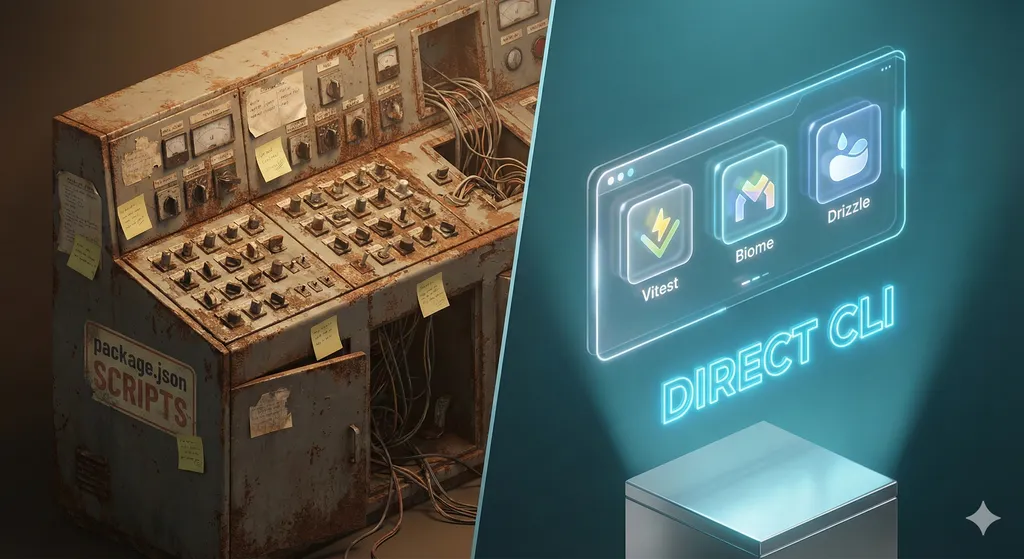
The Cost of Abstraction#
Consider a standard package.json setup. It looks helpful, but it hides the reality of your tooling:
{
  "scripts": {
    "test": "vitest",
    "test:watch": "vitest --watch",
    "test:coverage": "vitest --coverage",
    "db:migrate": "drizzle-kit migrate",
    "db:generate": "drizzle-kit generate"
  }
}
When you alias vitest to npm test, you have saved two characters (npm test vs pnpm vitest). In exchange, you have:
- Hidden the tool: A user must check
package.jsonto know if "test" runs Vitest, Jest, or Node's test runner. - Limited flexibility: You hide the CLI's native flags behind your wrapper.
- Created location dependency:
npm runoften requires you to be in the root directory.
Real-World Example: The Test Command#
With package.json Scripts:
# What does this run? Check package.json first.
npm test

# Want to disable coverage?
# It's not obvious how to override the script's defaults.
npm test -- --coverage=false
Without Scripts (Direct Tooling):
# Crystal clear what's happening.
pnpm vitest

# Want coverage? Just add the flag.
pnpm vitest --coverage

# Want to run in UI mode?
pnpm vitest --ui
The second approach is transparent. Users know they are using Vitest, and they can look up the Vitest documentation for the flags they need.
The Bloat Problem#
If you don't discipline your script usage, you end up with "Script Bloat." We’ve all seen package.json files that look like this (with apologies to the Fastify project):
"scripts": {
    "lint": "npm run lint:eslint",
    "lint:fix": "eslint --fix",
    "lint:eslint": "eslint",
    "test": "npm run lint && npm run unit && npm run test:typescript",
    "test:watch": "npm run unit -- --watch --coverage-report=none",
    "unit": "borp",
    // ...20 more lines of chained commands
}
This is an orchestration layer that is hard to parse and harder to debug. Why do we need lint to call lint:eslint to call eslint? I would rather run pnpm eslint.
The AI Advantage#
There is another reason I advocate for direct CLI usage: AI Coding Agents.
If I make it clear that tools can run from the command line, AI agents can interact with my project with less project-specific context.
- AI knows how to run
vitestand can run it on a subset of your codebase. - AI does not know the nuances of your specific
npm run db:reset:seedscript without reading and parsing your manifest first.
When you use standard tools with standard CLI arguments, you unlock the creative potential of AI. It can construct complex commands, filter tests, or run specific migrations because it understands the tool, not your wrapper.
Valid Use Case: Scripts as Discovery#
A minimal set of scripts still has value as project documentation.
I learned this the hard way when a new contributor to one of my open-source projects couldn't find the tests. They looked for npm test, didn't find it, and assumed the project had no tests. The project used Vitest across the codebase; I expected people to run pnpm vitest.
Now, I maintain minimal scripts to serve as documentation:
{
  "scripts": {
    "test": "vitest",
    "lint": "biome check",
    "build": "tsgo"
  }
}
This tells the developer (and the AI): "This project uses Vitest for testing and Biome for linting." But I stop there. I don't create test:watch, test:coverage, or lint:fix. Those are just flags.
Handling Complexity: The scripts/ Directory#
Complex tasks belong outside package.json. If you have a task that requires multiple steps, like seeding a database or resetting a dev environment, don't jam it into a one-line string in package.json.
I prefer standalone TypeScript files in a scripts/ folder, which I typecheck via tsgo and run with a modern (>= 24) version of node:
node scripts/reset-test-db.ts
node scripts/seed-dev-data.ts
This approach allows you to write proper programs. You can use tools like Zod to parse arguments, rather than relying on fragile shell scripts (which often don't run on Windows anyhow if you do anything complex.)
// scripts/seed-data.ts
import { z } from 'zod';

const ArgsSchema = z.strictObject({
  env: z.enum(['dev', 'staging']),
  count: z.coerce.number().min(1).default(10),
});

const args = ArgsSchema.parse({
  env: process.argv[2],
  count: process.argv[3],
});

// Now you have type-safe args to run your logic
console.log(`Seeding ${args.count} items into ${args.env}...`);
Conclusion#
Before adding a script, I ask what the wrapper buys me. If it only saves a few characters, I skip it. Transparency, discoverability, and AI-friendliness matter more than a shorter command.