I Didn't Need Kubernetes
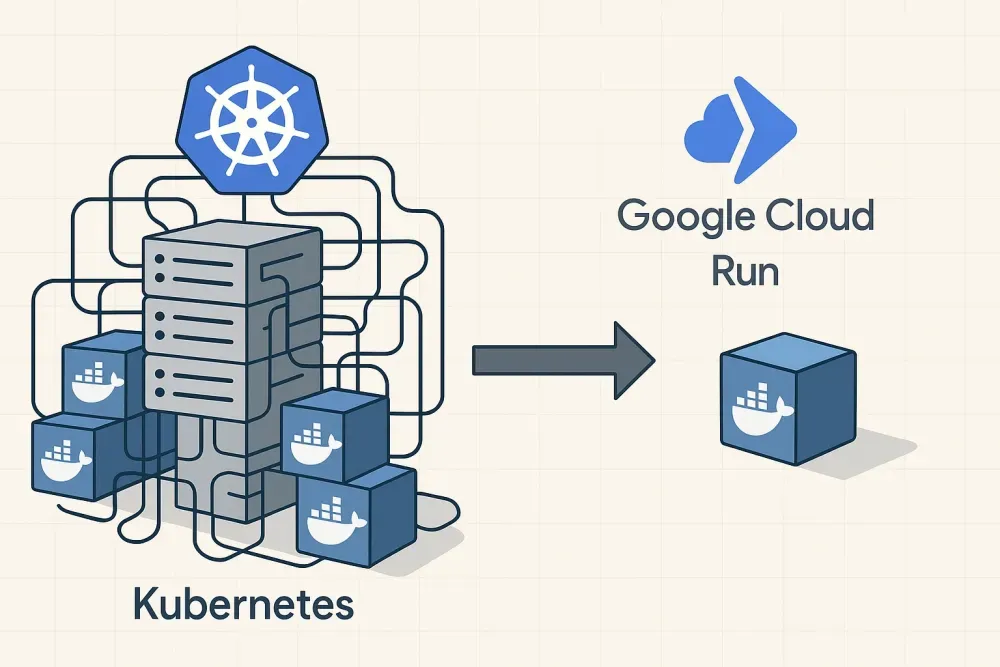
I moved my projects from Kubernetes to Google Cloud Run because I did not want to pay for cluster operations, idle capacity, and job-running infrastructure.
Ben Houston • • 6 min read
(Hacker News discussed this blog post here. Romaric Philogène also wrote a response to this essay here)
I used Kubernetes for years and now run most of my infrastructure on Google Cloud Run. By moving to Cloud Run, I removed cluster operations, idle capacity, and most of the custom job-running machinery I had been carrying around.
The Path to Kubernetes#
We launched Clara.io (now sunset), an online 3D editor and rendering platform, in 2013. We kept costs down by running the primary servers, databases, and job workers on bare metal machines from OVH. Bare metal worked, but it made hardware failure our problem. We had failures over the years. Our redundant setup kept users from noticing, but provisioning, monitoring, and maintenance took a massive amount of work.
For Threekit.com, an enterprise-focused re-imagining of Clara.io, we wanted managed compute. In 2018, Kubernetes looked like the industry answer after Azure, AWS, and Docker converged on it in late 2017.
Why I Left Kubernetes#
Kubernetes made sense at the start. It gave us a standard way to run services and stopped us from tracking the health of individual machines. After several years, the cost and operating load became hard to justify.
-
Cluster Cost: A bare-bones Kubernetes cluster needs redundant management nodes before it runs application traffic. Kubernetes autoscaling took long enough that I had to over-provision services for availability, which meant paying for machines that spent much of their time waiting.
-
Job Volume: Large job queues were tedious on Kubernetes. The built-in scheduler and Argo both added constraints. Under load, I spent too much time tuning the job system instead of running the jobs.
-
Operating Knowledge: Kubernetes has a huge surface area. Simple changes turned into cluster work, YAML work, networking work, or debugging work in Kubernetes-specific tools. If you run Kubernetes in production, you need someone who treats Kubernetes operations as a real part of the job.
Kubernetes did solve a real problem for us. We stopped worrying about failing machines and manual provisioning. The replacement problem was cluster care: provisioning it, paying for it, tuning it, and keeping enough Kubernetes knowledge on the team.
Cloud Run Changes#
Cloud Run fits the way I run smaller services and batch jobs.
The Setup#
My infrastructure now centers on Docker containers. Some containers run as autoscaling services. Others run as Cloud Run Jobs for long-running tasks. Cloud Run handles deployment, scaling, downtime management, job execution, and retries.
Cloud Run Helps With#
- Cost: Cloud Run charges for the CPU and memory used during requests. My personal project Web3D Survey sees 500,000 hits a month and costs $4/month for hosting, even though it runs all the time. Cloud Run charges by CPU use per second, and services that scale to zero do not charge me while idle.
- Autoscaling: Cloud Run scales in a few seconds. In my Kubernetes setups, scaling took minutes, so I had to keep extra capacity online for traffic spikes.
- Cluster Operations: Cloud Run runs on Google’s infrastructure, not a cluster I manage. I deploy containers without maintaining Kubernetes control planes, node pools, ingress controllers, or cluster autoscalers.
- Async Tasks: Cloud Run Jobs lets me run up to 10,000 tasks per job, track results, and use retries without managing a job runner or individual machines. I needed more setup and maintenance to do the same thing on Kubernetes.
The Kubernetes Lock-In Trap#
A Kubernetes cluster can lock you in. Once you depend on Kubernetes-specific features, you have to do more work to use resources outside the cluster. Services across data centers, dedicated machines in colocation, and one-off infrastructure all need extra glue. Each Kubernetes-specific decision adds work to expansions and migrations.
Questions People Asked#
After I shared this argument online, people asked about the pieces Kubernetes handles:
- Orchestration: I use GitHub Actions CI to handle CI/CD, with workflows that use dependencies and matrix strategies for builds across multiple services. I deploy only after all tests and builds pass.
- Storage: Managed databases and Cloud Storage cover shared data, so I do not manage my own disks.
- Inter-Service Communication: For async communication, I use pub-sub messaging. For direct connections, each service has a dedicated domain name.
- Security: Cloud Run supports internal-only services, and for public services, I secure routes using JWT.
Lock-In Questions#
“Aren’t You Afraid of Being Locked into GCP?”#
My setup is Docker-based, so moving to AWS or another provider would take about a week. In practice, few companies switch cloud providers unless politics or procurement force the issue. The major cloud services differ, but not enough to make provider portability worth a large architecture tax for my projects.
“Cloud Run Is Just Managed Kubernetes, Right?”#
Cloud Run uses Knative interfaces and runs on Google’s Borg, not Kubernetes. Google could have implemented a similar system on Kubernetes, and other PaaS products do use Kubernetes underneath. The point for me is the interface: I deploy containers and jobs through a small PaaS surface instead of operating Kubernetes or Borg.
Remaining Workflow Pains#
Cloud Run leaves gaps in my development workflow.
Service Names#
I need one clear way to manage service names locally and in the server environment. Kubernetes gives you an abstraction layer for that. I miss it.
Lack of Cloud Run Task Emulation#
I have not found a good way to run Cloud Run Jobs locally. I want a local emulator that runs an arbitrary command line in place of a container, captures logs, tracks runs, and mirrors the Cloud Run Jobs lifecycle. That would let me develop tasks without building and deploying containers for each test.
My New Stack and Workflow#
My current stack starts with Docker containers, GitHub Actions, managed storage, pub-sub messaging, and Cloud Run services or jobs. You can see a prototype of the setup in this TypeScript monorepo template.
My Choice Now#
For my projects, Cloud Run gives me the things I need most: low cost, low operational overhead, fast deployments, and responsive scaling. Kubernetes makes sense for some companies. I do not want a dedicated cluster for projects that fit inside Cloud Run.
(PS. Yes, I am sure there was another Kubernetes library or extension I could have added to enable feature X, Y, or Z. That is the problem. I do not want to live inside a world of Kubernetes-specific lingo and techniques unless they give me enough benefit to justify the work.)
I wrote this after this discussion on Hacker News on 04/11/2025.